

How to Get Verified on Spotify for Artists in 2025
Getting that little blue checkmark on your Spotify profile is way easier than you might think. The old gatekeeper approach is dead. It’s no longer about hitting a certain follower count or having a label rep pull strings for you.
Today, how to get verified on Spotify is simple: you just have to claim your profile through Spotify for Artists.
Your Path to Spotify Verification
Forget everything you’ve heard about long applications and mysterious approval processes. That’s ancient history. The modern system is built for every artist, whether you’re dropping your first single or you’re a seasoned pro.
Once your distributor gets your music live on the platform, your only job is to take ownership of your artist page. This is a quick, one-time setup that officially connects you to your music and, in the process, instantly verifies you.
Spotify rolled out its free Spotify for Artists tool back in 2017, and it completely changed the game. Instead of making you jump through hoops, they just need you to prove you're the real deal by linking your music to your artist account. You can find some cool stats about Spotify's artist platform to see how big it's become.
Unlocking More Than Just a Badge
Think of the blue checkmark not as the finish line, but as the starting pistol. It’s the key that unlocks the entire suite of promotional tools you need to actually grow.
Verification is your stamp of authenticity. It tells listeners, playlist curators, and the all-powerful Spotify algorithm that you’re a serious artist, building trust from day one.
Once you’re in, you get access to the dashboard—your mission control center for building your career on the platform.
Here's a quick look at the benefits you unlock right away:
- Access to Analytics: See exactly who’s listening, where they are in the world, and which playlists are sending you the most streams. This data is gold.
- Profile Customization: Upload a pro artist photo, write a killer bio, and use the "Artist Pick" feature to pin your latest release or a tour announcement to the top of your profile.
- Direct Playlist Pitching: This is a big one. You can submit your unreleased tracks directly to Spotify's official editorial team for playlist consideration. It's one of the most powerful discovery channels available.
And that's just the beginning. The table below breaks down the key benefits in more detail.
Key Benefits of Your Verified Spotify Profile
This table summarizes the essential advantages you get the moment your Spotify profile is verified.
| Feature | Description | Impact on Your Career |
|---|---|---|
| Official Blue Check | The verification badge that appears next to your artist name. | Instantly builds credibility and trust with fans, playlist curators, and industry professionals. It proves you're the authentic artist. |
| In-Depth Analytics | Access to real-time data on your listeners, including demographics, location, and listening habits. | Allows you to make data-driven decisions about your marketing, touring, and release strategies. You know exactly who your audience is. |
| Profile Customization | The ability to add a custom artist image, header, bio, and social media links. | Gives you control over your brand identity and creates a professional-looking artist page that engages new fans. |
| Artist Pick | A feature to highlight a specific track, album, or playlist at the top of your profile for up to 14 days. | Drives traffic to your most important release, promotes a tour, or showcases another artist you're supporting. A powerful promotional tool. |
| Direct Playlist Pitch | The ability to submit unreleased music directly to Spotify's editorial team for playlist consideration. | Gives you a direct line to official Spotify playlists, which can result in massive exposure and a huge spike in streams and followers. |
| Canvas | The option to add a short, looping video to your tracks instead of static album art. | Increases engagement and makes your music more visually compelling, which can lead to more shares and saves from listeners. |
As you can see, getting verified is about so much more than a simple checkmark—it's about gaining the control you need to actively shape your career.
Mastering these tools is a huge step, but sometimes you need an extra push. For artists looking to amplify their reach even further, understanding when and how to use promotional support is crucial. To learn more, check out our guide on how to choose the best music promotion service and make sure you’re investing wisely.
How to Claim Your Spotify for Artists Profile
Alright, let's get down to the single most important step in getting that blue checkmark: claiming your artist profile.
Think of this as getting the keys to your house on Spotify. The moment you claim your profile, you're not just verified—you unlock the entire toolkit that lets you manage your music, see who’s listening, and actually build a brand on the platform.
First things first, you can't claim a profile that doesn't exist. Your music has to be live on Spotify. Your distributor—like DistroKid or TuneCore—handles getting your tracks uploaded. Once they do, Spotify automatically creates a bare-bones artist page for you. Now, your job is to find it and take ownership.
Finding and Claiming Your Profile
Head over to the official Spotify for Artists website. This is your mission control for everything from here on out.
You'll be asked if you're the artist or part of their team (like a manager). Then, you'll search for your artist name. Simple, right? Well, if your name is super common, you might see a dozen others.
To avoid grabbing the wrong profile, find your artist URI first. It's a unique code just for you.
Here's how to grab it:
- Open the Spotify desktop or mobile app (not the web player).
- Search your artist name and click on your profile.
- Hit the three dots (...) next to your follow button.
- Go to Share and click "Copy link to artist."
Pasting that link or URI into the search bar ensures you're claiming your page and not someone else's.
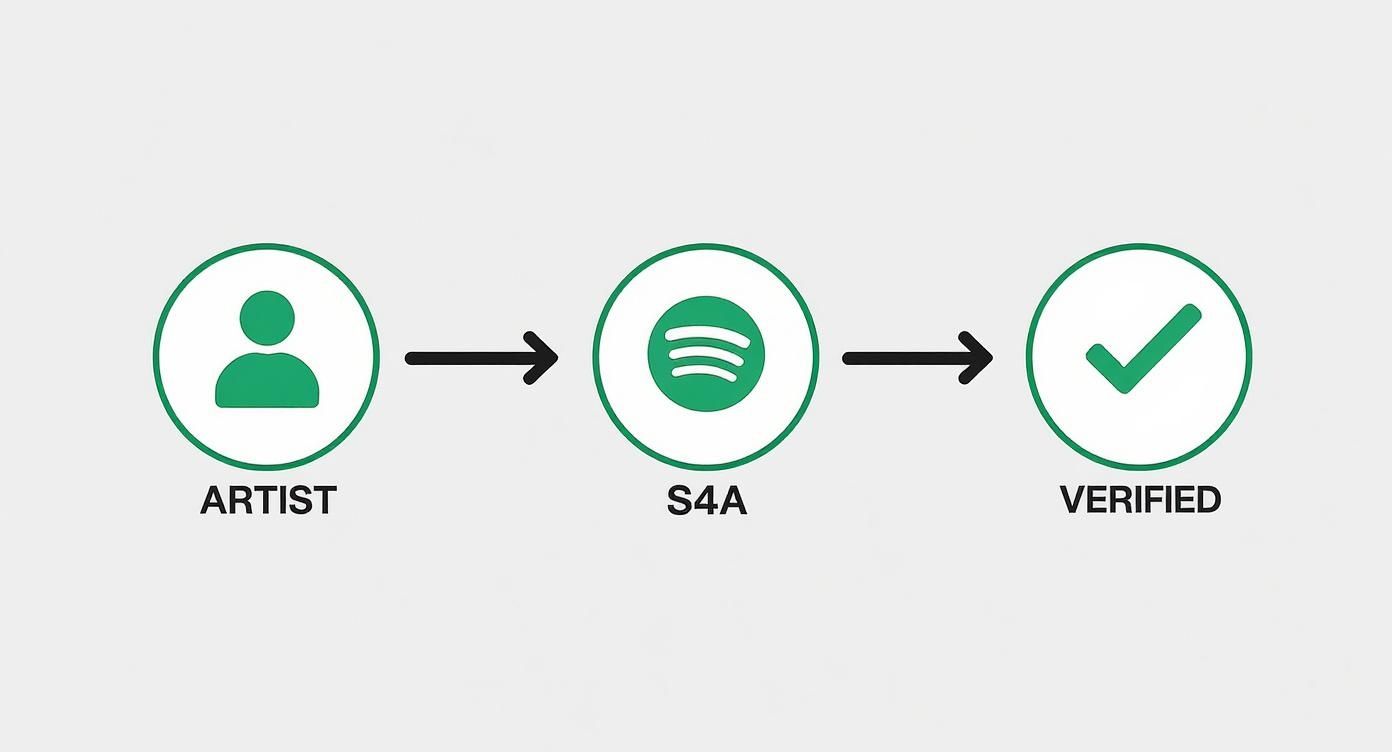
As you can see, Spotify for Artists is the one and only gateway. It's the bridge that takes you from just having music on the platform to being a verified artist with full control.
Proving You're the Real Deal
Once you’ve found your profile, Spotify needs to confirm your identity. They're serious about preventing impersonation, so you'll have to connect a social media account.
Typically, this means linking your artist Instagram or X (formerly Twitter). Make sure the account you use is obviously yours—same name, same branding, same music-related content. This is the fastest way for them to give you the green light.
After you connect your socials and fill out a few basic details, you're pretty much done. The whole thing is designed to be quick and painless.
What You'll Need to Have Ready
To make this go smoothly, have this info handy before you start. It’ll turn a 20-minute task into a 2-minute one.
- Your Artist Name and URI: The most foolproof way to find your page.
- A Professional Email Address: Use one connected to your artist brand, not your old high school account.
- Social Media Links: Have your official Instagram, X, or website URLs ready to go.
- Your Distributor's Name: They might ask who delivered your music (e.g., DistroKid, CD Baby).
Once you submit the form, the review process begins. It's usually fast—sometimes just a few hours, but it can take a couple of days. You'll get an email as soon as you're approved, and that beautiful blue checkmark will pop up on your profile almost instantly.
Getting verified is the foundational step, but the real work of growing your audience comes next. Many artists find that giving their tracks an initial push is crucial. If you're looking to build momentum, exploring services that make Spotify promotion made easy can get your music in front of the right listeners and kickstart the algorithm.
Why the Blue Checkmark Still Matters
Let's be real: with over 100,000 new tracks hitting Spotify every single day, just getting your music heard can feel impossible. In this sea of noise, that little blue checkmark next to your artist name isn't just a vanity badge. It’s a lighthouse.
It’s an instant signal of authenticity. When a new listener stumbles across your profile, that checkmark tells them they’ve found the real deal—not some fan-made playlist or a random impersonator. That small dose of trust is often the difference between a quick listen and a new follower.
Credibility in a Crowded Ecosystem
Think of the blue checkmark as a stamp of professionalism. It quietly tells playlist curators, bloggers, and potential collaborators that you're a serious artist who's taken the time to manage your official presence. It's a subtle but powerful signal that you’re invested in your career.
Put yourself in a curator's shoes for a second. They're sifting through dozens of submissions, and two emerging artists have a similar sound. Which one are they more likely to check out first? The one with the verified profile. It suggests a level of organization and commitment that’s essential in this industry.
This isn't just about looking official; it's about being official. Verification is the first step in unlocking the data and tools you need to turn casual listeners into a dedicated fanbase.
And the audience you're trying to reach is massive. By the third quarter of 2025, Spotify had ballooned to 713 million monthly active users—a huge jump from just 18 million paying subscribers a decade ago. Gaining the trust of even a tiny fraction of that audience is a game-changer, and verification is a key piece of that puzzle. You can dig deeper into what this growth means for artists on Soundcamps.
Boosting Your Discoverability
Beyond just looking good, getting verified directly impacts how your music gets discovered. That blue check is tied to your Spotify for Artists account, which is your command center for everything on the platform—especially its powerful algorithmic playlists.
Without a verified profile, you're locked out of the single most important promotional tool available: pitching your unreleased music directly to Spotify's editorial team. That feature alone makes verification a must-do.
Here’s how getting verified feeds into real growth:
- Algorithmic Signals: An active, verified profile—one with an updated bio, a cool "Artist Pick," and fresh photos—sends all the right signals to the algorithm. This boosts your chances of landing on playlists like Discover Weekly and Release Radar.
- Fan Engagement: Listeners are simply more likely to follow a verified account. More followers mean your new tracks get pushed to more of your fans' Release Radar playlists, creating a powerful cycle of engagement right from day one.
- A Gateway to a Bigger World: It opens doors. Labels, publishers, and booking agents constantly scout for new talent on Spotify. A professional, verified profile shows them you’re ready for the next step.
Ultimately, the blue checkmark isn't the finish line. It's the key that unlocks the door. It’s about taking control of your brand, understanding who’s listening, and setting yourself up for success in a ridiculously competitive world.
Optimizing Your Profile for Maximum Impact
Getting that blue checkmark is a great feeling, but honestly, it’s just the starting line. Think of your Spotify for Artists profile as your digital storefront and fan club headquarters, all in one. Verification gives you the keys; optimization is what actually drives growth.
Now that you're in, it's time to turn your profile from a simple page with songs into a place where people want to hang out. This is how you turn casual listeners into real fans. Every single element on your profile is a chance to tell your story.

Crafting Your Visual Brand Identity
Before anyone even hits play, they see your profile picture and banner. These images are their first impression, and they need to look professional and match your sound. Low-quality or random photos can make incredible music feel amateurish.
There are two main visuals to get right:
- Avatar Image: This is your main profile pic. It shows up everywhere—in search, on playlists, next to your tracks. It needs to be a sharp, high-resolution photo, usually a headshot that's recognizable even when it's tiny.
- Header Image: This is the big banner at the top. You can get more creative here. Use a killer press photo, a shot from a live show, or custom art that vibes with your latest release. A strong header sets the whole mood.
And please, keep these updated. A profile with photos from five years ago looks neglected and tells fans and playlist curators you might not be active.
Writing a Bio That Connects
Your bio is where you get to talk directly to your audience. Spotify gives you a 1500-character limit, which is plenty of space to tell a real story, not just list your accomplishments.
Don't just write "DJ/Producer from X city." That's boring. What inspires you? What’s the story behind your new EP? How do you want people to feel when they listen?
A great bio doesn't just inform; it invites listeners into your world. It gives them a reason to care about the person behind the music, which is essential for building a lasting fanbase.
Break up the text into short, easy-to-read paragraphs. You can also tag your other social media profiles using the "@" symbol, making it super easy for fans to find you everywhere else.
Leveraging the Artist Pick Feature
One of the most powerful and surprisingly underused tools is the Artist Pick. This lets you pin something—a song, an album, a playlist—to the very top of your profile for up to 14 days. It's the first thing people see.
Use your Artist Pick to highlight:
- Your new single or album to drive instant streams.
- A curated playlist of your influences or favorite tracks. This makes you a tastemaker.
- Upcoming tour dates, linking directly to where fans can buy tickets.
- A new piece of merch you just dropped.
This feature keeps your profile looking fresh and active. Never let it sit empty.
Monetizing and Engaging Your Audience
Your Spotify profile can also be a hub for your entire business. The platform has built-in features to help you make money and get support directly from your fans.
Connect your Shopify store to the Merch section. This puts your t-shirts, vinyl, and other items right on your artist page. Fans can shop without ever leaving the Spotify app.
There's also the Fan Support feature. This lets you add a fundraising link from places like PayPal.me or GoFundMe. It’s perfect if you're crowdfunding a new album or tour and want your biggest supporters to chip in.
By using all these tools, you create a rich, interactive experience that builds a real connection with your listeners. This approach is a key part of the most effective music promotion strategies that actually work, turning that blue checkmark into a launchpad for real, sustainable career growth.
Troubleshooting Common Verification Issues
Hitting a snag while trying to get verified on Spotify is beyond frustrating, especially when you're so close. The good news? Most of these problems are common and have straightforward fixes.
Let's walk through the most frequent roadblocks artists run into, from denied claims to those seemingly endless delays.
Understanding why these issues pop up usually boils down to one thing: identity. Spotify has to be absolutely sure you are who you say you are. This is all about preventing impersonation and keeping the platform safe for real artists, but it can sometimes create hurdles for legitimate musicians.
Why Was My Claim Request Denied?
Getting that denial email stings, but it's almost never the end of the road. More often than not, it means Spotify couldn't draw a clear, unbroken line between the distributor info they have, your artist profile, and the social media accounts you provided. Any weak link in that chain sends up a red flag.
The most common reasons for a denial include:
-
Mismatched Social Media: You linked to an Instagram handle like
@band_official, but the account name is "My Rock Band," while your artist name is "The Rockers." The connection just isn't obvious enough for them. - New or Empty Social Accounts: A brand-new social profile with zero followers or posts looks suspicious. It doesn't offer any proof of an established presence.
- Simple Typos: It could be something as small as a typo in your email or accidentally selecting the wrong artist profile during the claim process.
If you get denied, take a deep breath. Read the reason they gave you, then go audit your social media. Make sure your artist name is front and center. Update your bio and profile picture to match your Spotify branding, then resubmit your claim.
What to Do About Long Delays
While most claims get processed in just a few days, sometimes you end up stuck in verification purgatory. If a week or more goes by with no update, it usually means there's a backlog or your case needs a manual review.
This happens a lot with artists who have common names or are part of multiple bands. If you’re the lead singer for three different projects, for example, Spotify’s system might need a human to step in and confirm which profile you're actually trying to claim.
The key here is patience, followed by precise communication. Wait at least 7-10 business days before reaching out. When you do contact support, give them your artist name, the URI of the profile you claimed, and the date you submitted the request.
This shows them you've done your homework and gives their support team everything they need to find and fix the issue fast.
I Accidentally Claimed the Wrong Profile
Believe it or not, this happens all the time, especially when artists have similar names. If you’ve been mistakenly granted access to another artist's Spotify for Artists account, the most important thing is to act immediately.
Do not make any changes to the profile. Don't touch the bio, swap the photo, or pitch their music. Your one and only move should be to contact Spotify for Artists support directly.
Be clear and concise in your message:
- Explain that you were mistakenly given access to the wrong artist profile.
- Provide the name and URI of the incorrect profile.
- Provide the name and URI of your correct artist profile.
Honesty helps them resolve it quickly and shows you’re acting in good faith, which will only make claiming your actual profile a much smoother process.
Getting your profile claimed can feel like navigating a maze, but most issues are just small bumps in the road. I've put together a quick-reference table to help you diagnose and fix the most common hangups.
Solving Spotify Verification Problems
| Problem | Likely Cause | Recommended Solution |
|---|---|---|
| Instant Denial Email | Mismatched names between social media and Spotify profile, or a brand-new social account with no history. | Audit your social media. Ensure your artist name is clearly listed in your bio/profile name. Wait a week and try again. |
| Claim "Pending" for 10+ Days | Common artist name, you're part of multiple bands, or a general backlog in Spotify's system. | Wait at least 7-10 business days. Contact Spotify support with your artist name, profile URI, and submission date. |
| Claimed the Wrong Profile | You selected an artist with a similar name during the claim process. | Do not edit the profile. Contact Spotify support immediately. Provide the incorrect and correct artist profile URIs. |
| Can't Find My Profile | Your music is too new and hasn't fully processed, or there's a typo in your search. | Wait 24-48 hours after your distributor confirms delivery. Try searching with your artist URI instead of your name. |
Remember, since 2019, the verification system has been automated through Spotify for Artists, all designed to protect artists within its massive catalog of over 100 million tracks. Following the proper procedure is the best way to navigate the system. To learn more about how the platform has grown, you can review the latest platform statistics.
Your Spotify Verification Questions Answered
Getting your music out there is one thing, but navigating the back-end of platforms like Spotify can feel like a whole different game. To cut through the noise, I’ve rounded up the most common questions artists ask about getting that blue checkmark. Here are the straight answers you need to get your profile sorted and looking professional.
How Many Followers Do I Need to Get Verified on Spotify?
Let’s bust this myth right now: you need zero followers to get verified on Spotify.
The old system that required 250 followers is long gone. These days, verification is an automatic part of the process when you claim your profile through Spotify for Artists.
Spotify's goal shifted from gatekeeping based on popularity to simply confirming you are who you say you are. This is a massive advantage for new artists, as it puts everyone on a level playing field from day one. It's not a popularity contest anymore; it's an identity check.
How Long Does It Take to Get the Blue Checkmark?
It’s usually pretty quick. Once you submit your claim for a Spotify for Artists account and get that approval email, the blue checkmark should pop up on your profile almost instantly. Many artists see it within a few hours.
But what if you've been approved and are still waiting? If it's been more than a day or two, something might be stuck.
Pro Tip: Don't just sit around and wait. If you don’t see the checkmark after 48 hours, try logging out of your Spotify for Artists account and then logging back in. If that simple refresh doesn't do the trick, it's time to reach out to their artist support team.
Can I Get Verified on Spotify Without a Distributor?
Nope, and here’s why: you need music on Spotify before there's a profile to claim.
A music distributor is the middleman that gets your tracks onto streaming platforms. Services like DistroKid, TuneCore, or CD Baby handle the delivery of your music and all its metadata. The moment they send your first song to Spotify, an artist page is automatically generated for you.
Only when that page exists can you head over to Spotify for Artists and claim it as your own. Think of your distributor as the one who builds the house—claiming your profile is just you getting the keys.
What Should I Do if My Verification Request Is Denied?
Getting a denial email can be frustrating, but don't panic. It usually just means Spotify's system couldn't automatically confirm your identity, and it's almost always fixable.
The most common culprits behind a denial are:
- Mismatched Info: The social media accounts you linked don't clearly match your artist name or the details your distributor sent over.
- New or Empty Socials: Linking to a brand-new Instagram account with no posts or followers looks sketchy to the verification team.
- Simple Mistakes: Maybe you had a typo or accidentally clicked on the wrong artist profile, especially if your name is common.
If you get denied, read the email from Spotify carefully—they usually hint at the problem. The best thing to do is take a look at your social profiles. Is your artist name clear? Is your branding consistent? Fix anything that looks off, give it a few days, and then resubmit your claim. If you're positive everything was correct, contacting Spotify's artist support is the next step.
Building a career on Spotify starts with verification, but real growth often requires a strategic push. At Club Restricted Promo, we specialize in getting your music heard by the right audience. Whether you're looking to boost a new single or build long-term momentum, our targeted campaigns can help you reach your goals. Explore our promotion packages and start your campaign today at https://www.clubrestrictedpromo.com.
Article created using Outrank